

MyShop
One platform. Every order. Total control.
MyShop is built for modern businesses that manage orders from everywhere — phone calls, emails, social media, online stores, and in-person sales. One sleek dashboard for everything.


Every Sales Channel, One Dashboard
Connect MyShop to all your sales channels through Kommerce — and watch orders flow in automatically.
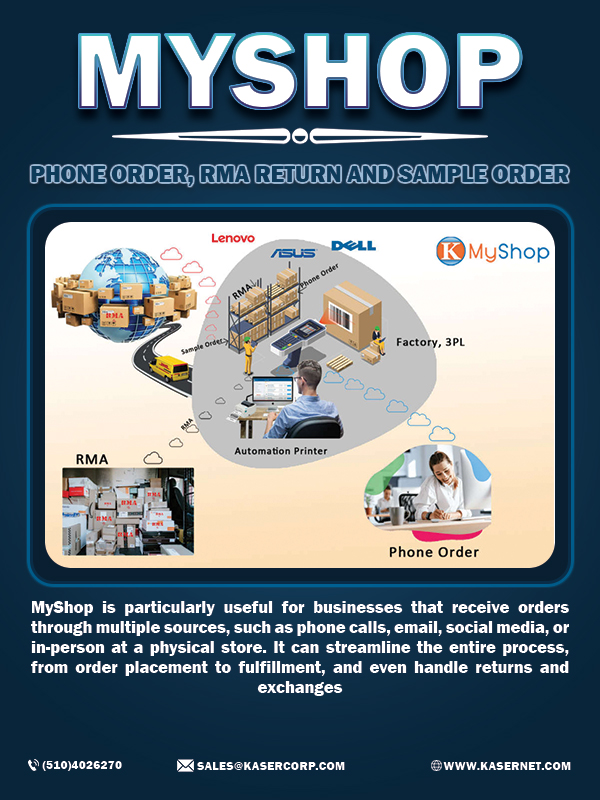
Phone Orders
Log phone orders directly into MyShop as you take the call. No post-it notes, no spreadsheets — every order captured instantly.
Email Orders
Connect your business email and MyShop automatically detects and creates orders from customer emails — no copy-pasting required.
Social Media
Take orders from Instagram DMs, Facebook Messenger, and WhatsApp — MyShop aggregates them all into your unified order queue.
Online Stores
Shopify, WooCommerce, Amazon, eBay, Walmart — all your marketplace and storefront orders arrive in one place automatically.
In-Person / POS
Connect your point-of-sale system so in-store transactions sync instantly with your online inventory and order history.
WhatsApp & Messenger
Accept orders from WhatsApp Business and Facebook Messenger conversations with automatic order creation and confirmation replies.
See MyShop in Action
A 2-minute walkthrough of MyShop processing a real order — from upload to printed label.
How MyShop Processes Your Orders
Two verified workflows used by Kasernet customers — straight from cart to carrier, no manual steps.
E-commerce Order Automation
When an online order arrives from any connected channel — here's exactly what MyShop does, in order:
-
Step 1
Automation fetches the order the moment it's placed.
-
Step 2
Order is routed to your ERP for approval.
-
Step 3
Once approved, the shipping label prints, the order is packed and shipped.
-
Step 4
Tracking number emails to the customer automatically.
-
Step 5
Inventory is updated — no double-entry.
Built-in capabilities
Multi-Channel Integration
Shopify, Amazon, eBay, and many more — all your sales channels in one place.
Carrier Shipping Options
FedEx, UPS, USPS, DHL — pick the best carrier for each order.
Real-time Shipping Rates
Know exactly how much shipping costs before you process the order.
QuickBooks Integration
Skip the data entry — orders flow into QuickBooks automatically. Catches abnormal orders before release.
Policy Control
Set per-station rules: which carriers, which merchants, which special assignments.
Label Printer Integrated
Automation Printer ships with Anyware + automation preloaded. Plug in keyboard, mouse, monitor — no PC required.
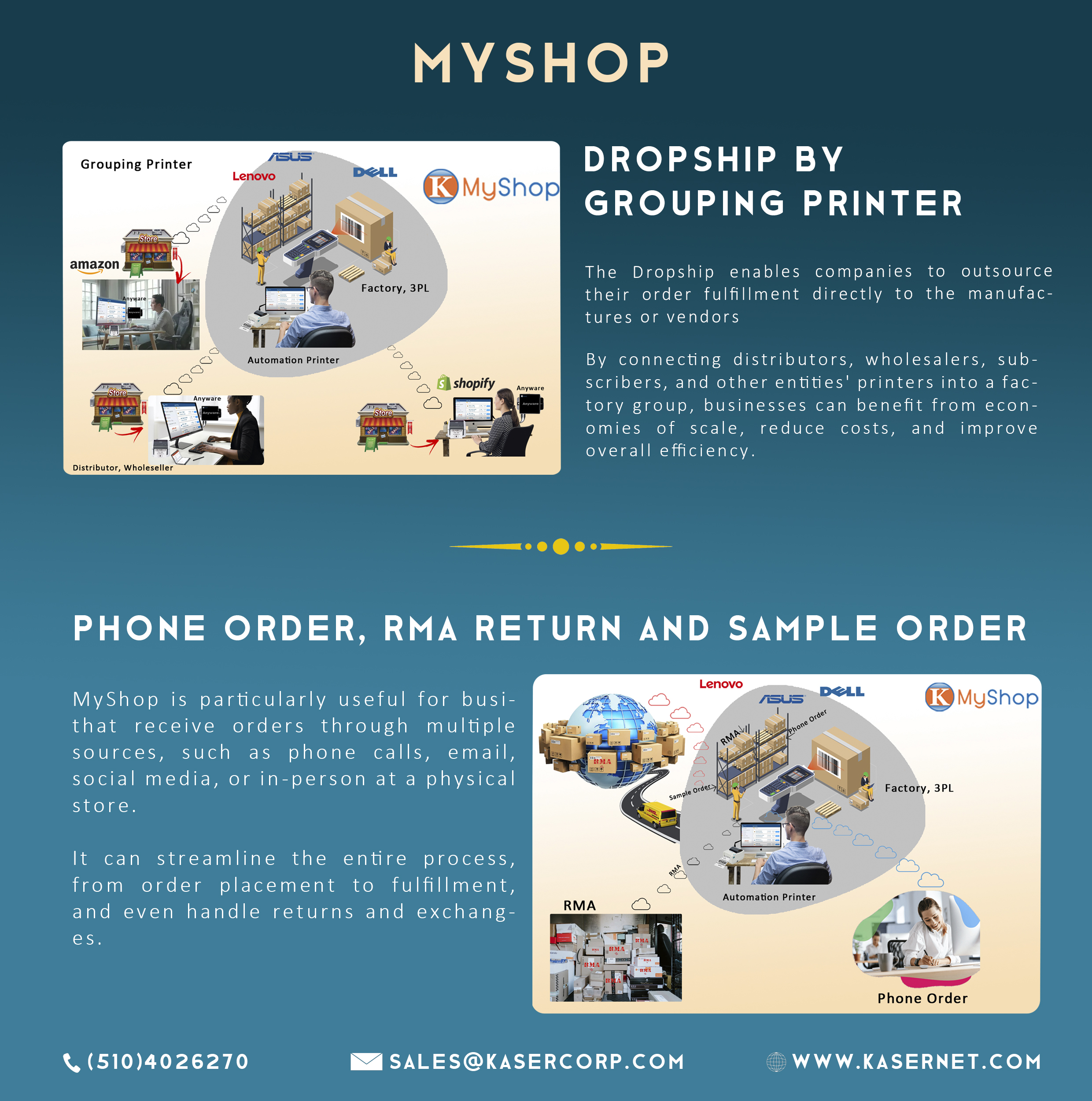
Dropshipping Workflow
For sellers who don't carry inventory — MyShop auto-routes the order to the right supplier, tracks the shipment, and keeps the customer informed.
- → Customer order arrives in MyShop from any channel
- → MyShop forwards order to your dropship supplier automatically
- → Tracking number returned to MyShop
- → Customer gets shipment update with tracking link
- → No inventory headaches, no manual order forwarding

Works with Kasernet Hardware
MyShop pairs seamlessly with Kasernet hardware for a complete end-to-end order management system.

Anyware
Run MyShop on Anyware — no PC required. Manage and process orders from any location.
Learn More
AirPrinter
Print shipping labels instantly as orders come in through MyShop — automatic and accurate.
Learn More
Dropshipping
Manage dropshipping orders through MyShop — auto-route supplier orders and track every shipment.
Learn More
Kasernet Order Template
Download the Kasernet Order Template to get your products into MyShop in minutes. Pre-formatted with all required fields — just fill in your SKUs, quantities, and prices, then import.
Download from hereGet Started in 3 Steps
Connect Kommerce
Sign into Kommerce and link your MyShop account. Your cloud hub is ready in minutes.
Add Sales Channels
Plug in your stores, email, social accounts, and phone line — each takes under 2 minutes to connect.
Start Selling
All orders from every channel appear in your MyShop dashboard — process, fulfill, and track from one screen.
MyShop Portal
Already a subscriber? Log in to upload SKUs, orders, or RMA files. Your dashboard is ready.
SKU Template
Download your product SKU template. All SKU numbers are an important part of inventory management.
Download from hereSKU Upload
Upload your product SKU sample. Set all SKU numbers — they are key to accurate inventory management.
SKU Upload hereOrder Template
Download the template and fill in your order details. Don't change column definitions to keep them recognized.
Download from hereOrder Upload
Upload orders, RMA files, or shipping requests. Orders download to MyShop automatically for fulfillment.
Order Upload hereNot a subscriber yet? Create your MyShop account in under 2 minutes.